
Accruals report shows details of accrual calculations and group records by period and exchange rate, creating separate pages for each currency.
- In the menu, expand Publishing Modules > Rights & Permission > Period Processing and Others > Monthly Royalty Run and double-click Royalty Accrual Report E-report. RYR181 Royalty Accruals Report panel appears.
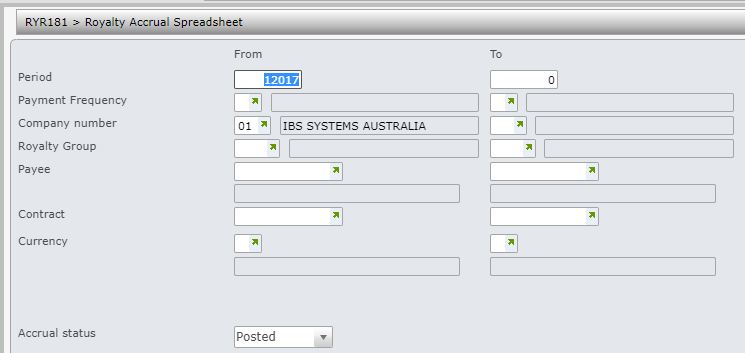
The Accruals report has the following selection criteria.
- Period range
- Payment frequency range
- Company range
- Royalty group range
- Payee range
- Contract
- Currency range
- In-progress or Posted Accruals or Both (posted and unposted accruals)
- Enter the above selection criteria as required for the report and click OK. This program generates a csv file that is stored in the network directory specified in the document exchange system.
