
Contents
Introduction
Live search allows search while entering data. It presents results in a dropdown box as you type, allowing you to select from the filtered list. The filtered list will narrow down as each character is entered. It is significantly faster and more efficient search facility in comparison to F4 search.
Example: Customer search
Pre-requisites
Installation
The following components are required for Live search:
- XT UI version must be V4.3.0 or higher.
- Make sure that “live-search links” was installed during installation of IP1 add-on.
- Aperio base library (IAF100AP) and service programs (XASJSN, SXPRCJSN) must be installed on the IBMi
- APIs used by Aperio Live Search must be installed on the IBMi
Live search configuration
- Place the Live search configuration file AutocompleteLinks.xml on IP1 XT Server in folder \XTBM\bin\config.
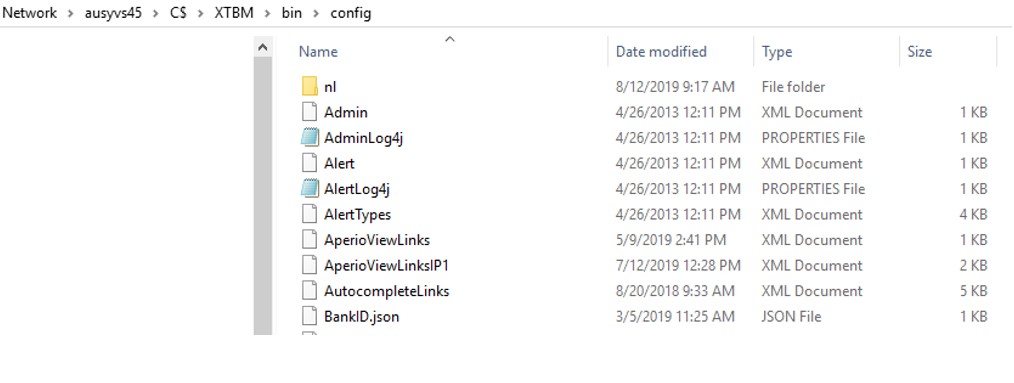
-
Live search configuration file (AutocompleteLinks.xml) contains links between layout fields and API methods. It can be edited to add new fields or search methods as required.
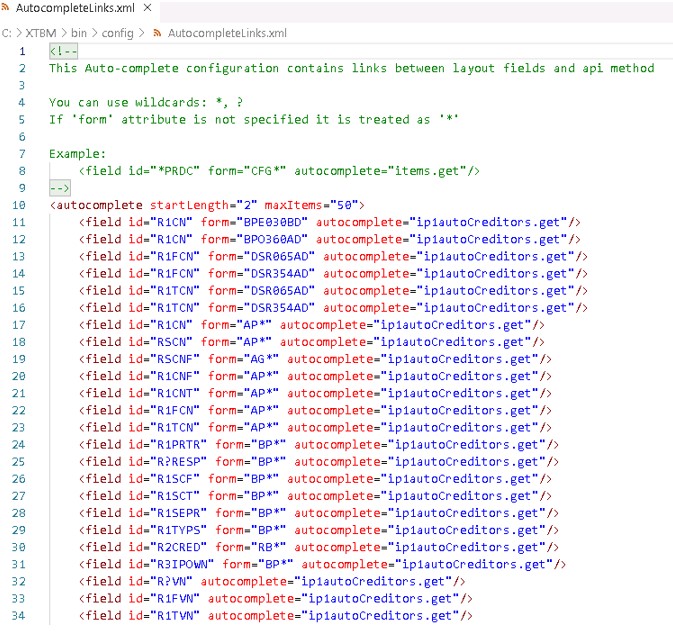
<field id=”[display file field name]”
form=”[display file name]”
autocomplete=”[quicksearch method name]”/>
Display file field name can be generic,
e.g. R?SESP
Display file name is option, can also be generic,
e.g. BP*
XT Dispatcher configuration
- Go to XT Admin:
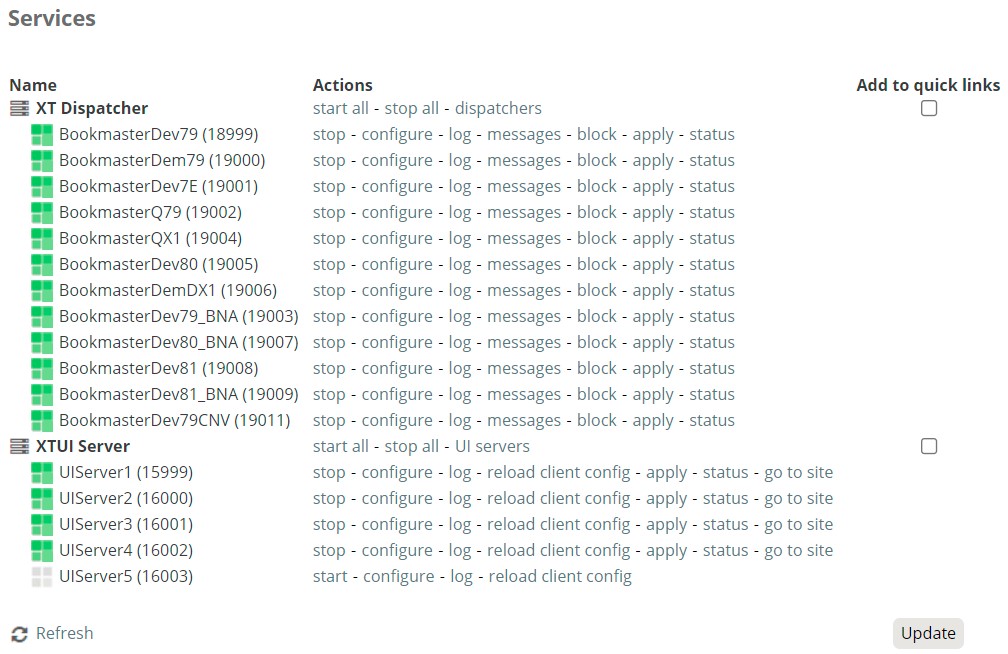
- Select and stop the XT Dispatcher for the required environment.
- Click configure.
- Page down to Aperio properties:
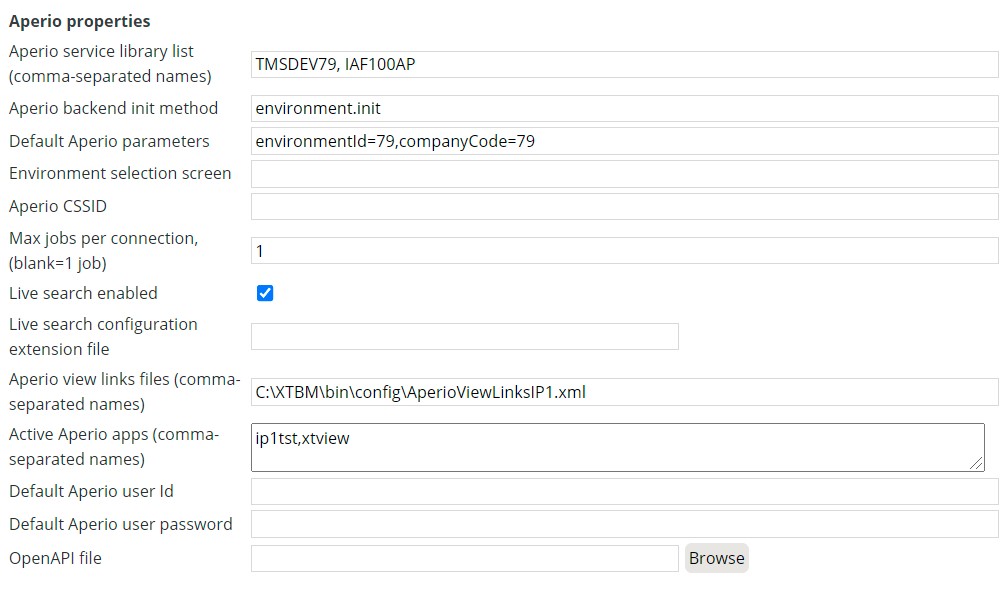
| Field | Description |
| Aperio service library list | Data library where the metadata files are and Aperio base library (IAF100AP) |
| Aperio backend init method | Initial program for Aperio. This is fixed and does not have to be updated. |
| Default Aperio parameters | Setup parameters for the environment. These parameters are used to call the setup programs for the environment from Aperio. The parameter names are fixed, only the values are to be updated with the environment. |
| Max jobs per connection | Default to 1. |
| Live search enabled | Flag this field for Live search functionality. |
| Live search configuration extension file | There is no Live search configuration extension file so leave this field blank. |
| AperioVew links files | This is the AperioView Forms links path/filename. Used for AperioView only. |
| Active Aperio apps | These apps are for XTView only. XTView being a standalone Aperio application with its own definitions requires this app to be specified in the XT Dispatcher configuration as well as in the UI Server configuration. Leave this field blank if not using AperioView. |
- Flag the Live search enabled field as shown above.
- Click Update at the bottom of the screen.
- Restart the XT dispatcher.
Live search API methods
Live search input & output fields
See Live search IP1 API input/output list
