
This program creates the opening balance for the new royalty period. It will bring forward all the balances from the previous period except zero balances for closed contracts and expired payees. Expired payees will continue to rollover as long as there are balances. Balances for expired payees can be paid out via AP invoice or transferred to another payee via RYM115 Payee Balance Transfer.
- In the menu, expand Publishing Modules > Rights & Permission > Period Processing and Others > Close of Royalty Period and double-click Royalty Balance Carried Forward. RYO095 Royalty Balances Creation for Next Period panel appears.
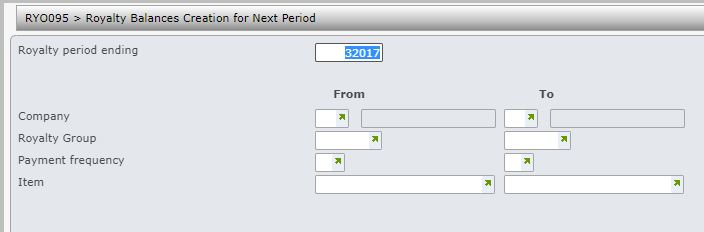
- Enter the above selection fields as required and click OK.
