
Add a paper file to the system
- In the menu, expand Publishing Modules > Book Publishing > Others > Paper Control > Maintenance and double-click BP Work with Paper. BPM200 Work with Paper main panel is displayed.
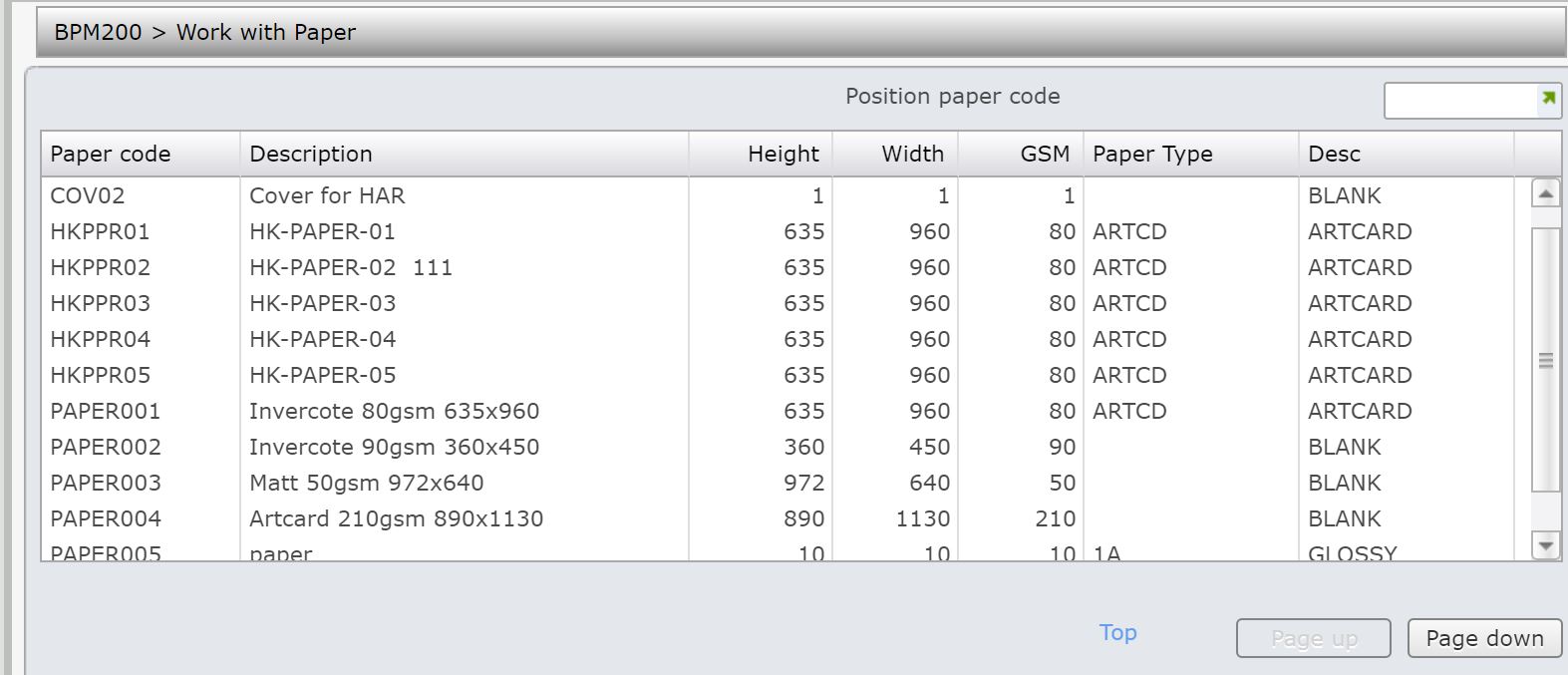
| Option | Description |
| Change | Access Paper File Maintenance in Change mode to maintain existing paper code. |
| Copy | Access Paper File Maintenance in Copy mode to copy existing paper definition to the new definition. |
| Delete | Access Paper File Maintenance in Delete mode to delete a paper code from the Paper masterfile. |
- Click Add. BPM200 Paper File Maintenance panel is displayed in Add mode.
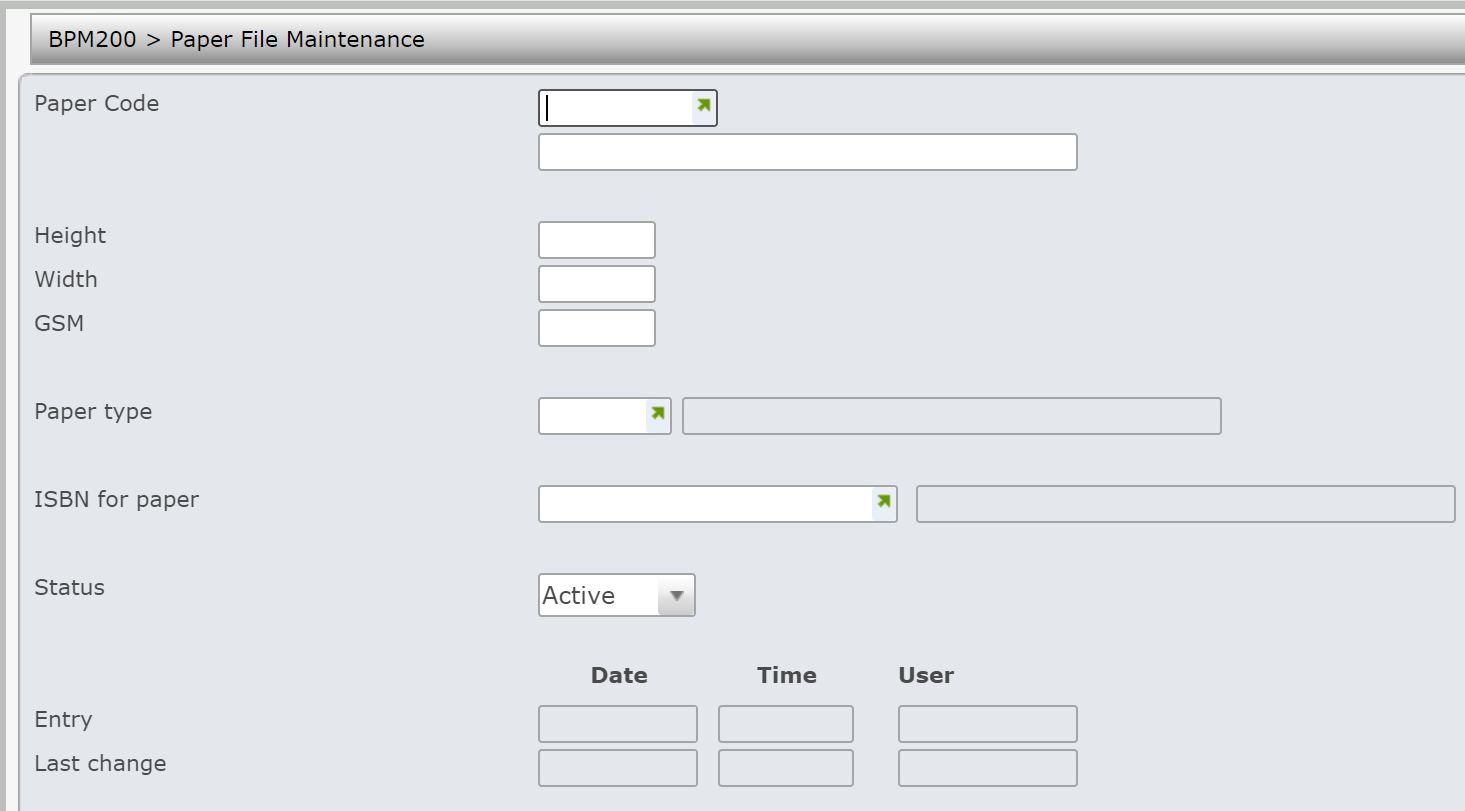
| Field | Description |
| Paper code | Specify name for the paper code which will be added as a new paper file to the system. |
| Description | This is a meaningful description for the paper code. |
| Height | This is the height of the paper. |
| Width | This is the width of the paper. |
| GSM | This is the grams per square meter of the paper. |
| Paper type | Paper type identifies the type of paper to be used. For example: glossy or matt paper. This may also include height, width and description of the paper. Paper codes must be set up on the Title masterfile and in TMSBP/PM-PTC. |
| ISBN for paper | This is the ISBN defined for the particular type of paper. Paper is defined in the form of ISBN. It is stored in the warehouse. |
| Status | Status identifies the status of the paper code and defaults to A = Active and can be overridden. Valid choices include:
A = Active. This paper code is valid at all times. S = Suspended. This paper code is temporarily unavailable, however re-opens at a later stage. C = Closed. This paper code is unavailable for use and is purged when the sales history is no longer valid. |
- Enter all the required information
- Click OK to confirm. New paper file is added to the system.
