
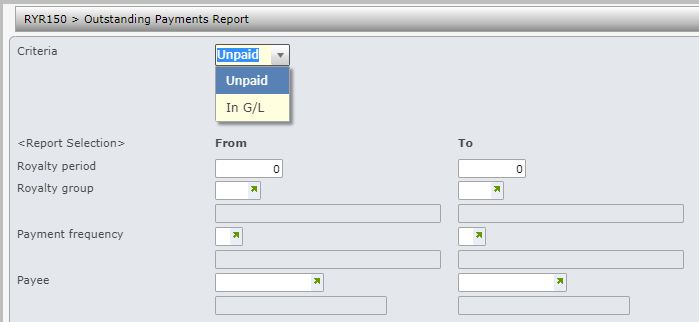
- In the menu, expand Publishing Modules > Rights & Permission > Royalty Reports > Payee reports and double-click Royalty O/S Payment E-report. RYR150 Outstanding Payments Report panel appears.
| Field | Description |
| Criteria | Select option Unpaid to report on all royalties yet to be posted to AP for payment or In GL to report on all royalties that are in GL but not yet posted to AP for payment. |
The Outstanding payments report has the following selection range criteria.
- Royalty period
- Royalty group
- Payment frequency
- Payee
- Enter the above selection criteria as required for the report and click OK. This program generates an excel spreadsheet that is stored in the network directory specified in the document exchange system.
The report displays the following information by period, company, payee & contract number.
- GL process number
- GL journal number
- Royalty amount
- Pay amount
- Advance offset
- Royalty offset
