
Supplements Setup is used to establish a relationship between various Titles and a main Title to form a supplements pack. For example a Health & Happiness pack is the main Title, and the supplementary Titles that go with it are books about care-giving, recipes, etc. The quantity of each supplementary Title is also added to the system.
Maintain list of supplementary items
- In the menu, expand Base Modules > Distribution > Masterfiles >Database Management > Database Management > Item Masterfiles > Other Item Maintenance and double-click IM Supplements Setup. DSM600 Supplementary/main Item Relationship Maintenance selection panel appears.
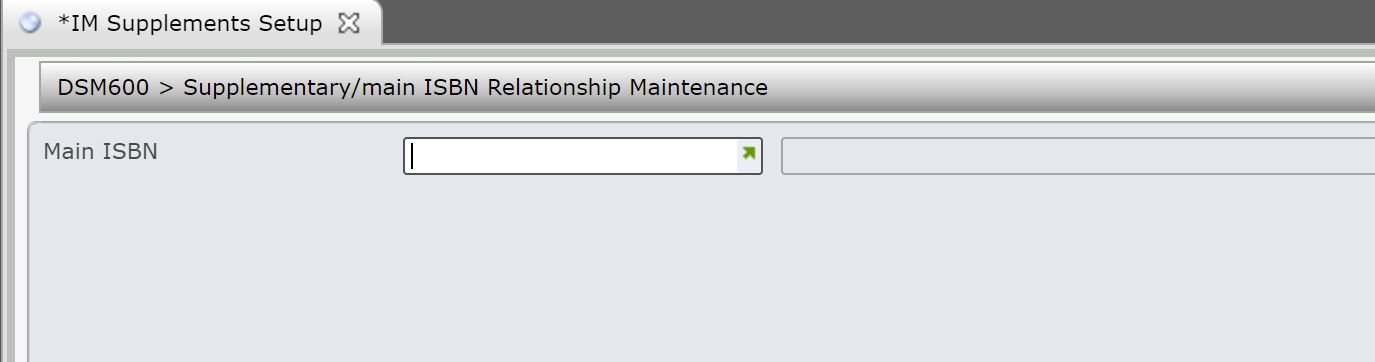
- Select the main item for which supplementary items are to be maintained and click OK. DSM600 Supplementary/main Item Relationship Maintenance main panel appears.
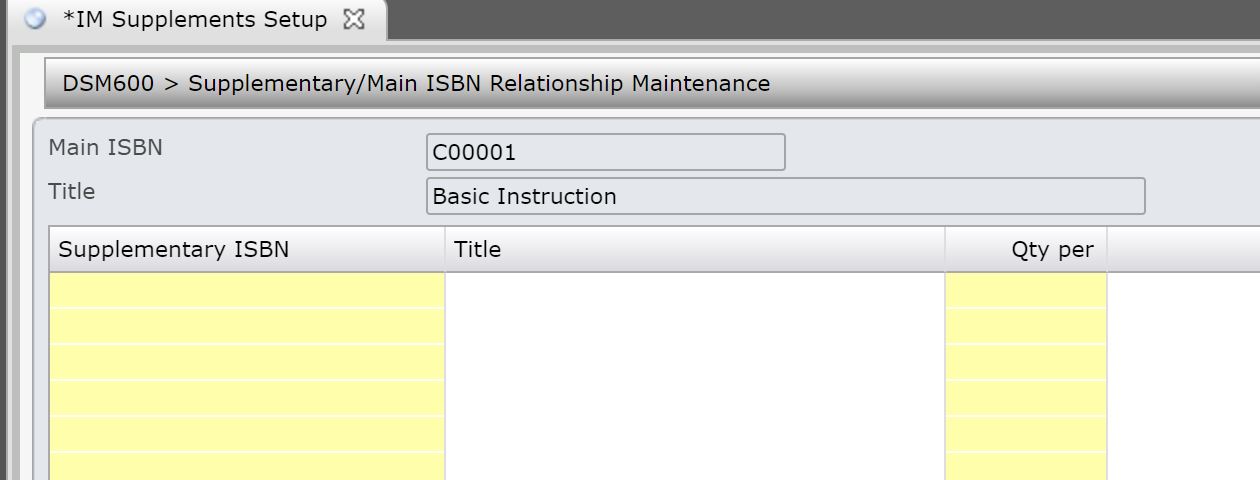
| Field | Description |
| Main item | This is the main title to which supplementary titles are to be added. |
| Supplementary item | The required supplementary titles that make up the pack are entered here and must be valid on the Title masterfile. |
| Quantity per | Enter the quantity of each component needed to make up the Pack or System or Assortment or Bin. For example 2 would be the quantity for a Speaker component of a Stereo Pack or 1 for a record player or 1 for a CD player. In Supplements Setup this is the quantity of the supplementary title that makes up a pack. |
- Change existing list of supplementary item or add a supplementary item and its quantity to the list and click OK.
