
This report compares opening balances of one royalty period against the closing balances of the previous royalty period. In theory these should never have a variance. Any variances printed on the report must be addressed to stop the problem from occurring in future periods.
- In the menu, expand Publishing Modules > Rights & Permission > Royalty Reports > Royalty Balance and double-click Royalty Balance Validation Report. RYR210 Royalty Balance Validation Report panel appears.
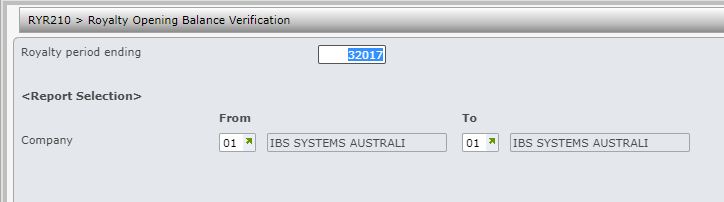
| Field | Description |
| Royalty period ending | This this is the Royalty period you wish to verify the opening balance for. The system will check the opening balance for this period against the closing balance of the Royalty period prior to this period. |
| Company | You can run the report for a single company, a range of companies or for all companies (blank). |
- Enter the above information as required and click OK. The report displays the following information.
- Contract
- Payee
- PD Period
- Advance
- Royalty balance
- Other
- Returns prev
- Rerun ADJ
